
 — Recommendations are independently chosen by Reviewed’s editors. Purchases you make through our links may earn us a commission.
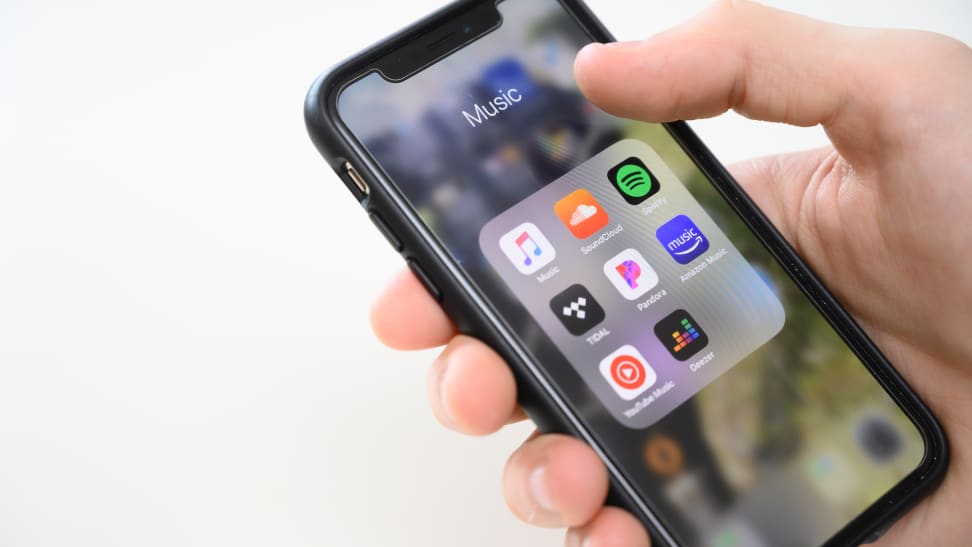
If you haven’t invested in a large library of digital music over the years, music streaming services are a great option. They offer instant access to millions of songs and intuitive discovery features, allowing you to discover new artists or listen to old favorites. In some cases, you can even download tracks for offline listening, making it possible to keep the audio magic flowing, even in situations where internet connectivity isn’t an option. And, because the music typically plays through a smartphone or laptop, it’s possible to listen to your tunes using a connected bluetooth speaker or set of headphones.
After a significant amount of research and testing, we found that Apple Music is the best streaming music service for most people. It offers an enormous catalog of songs, high-definition audio, and is easy to use.
For those who don’t want to pay for a streaming music subscription, Spotify offers the best free listening experience offered by any streaming service. It gives you access to an enormous catalog and a strong user-tailored experience. The drawback is that you have to be on a computer if you want to choose your own tracks and albums, and you’ll be interrupted by ads wherever you choose to listen.
Here are the best music streaming services we tested, ranked in order:
- Apple Music
- Deezer
- Tidal
- Spotify
- Amazon Music Unlimited
- YouTube Music
- Pandora
- SoundCloud Go+
- LiveXLive

Featuring lossless audio and a massive collection of music, stations, and exclusive content, Apple Music is the best streaming music service around.
Apple Music is among the most full-featured services around, touting 90 million songs in lossless quality (high-fidelity sound, free from the compression of audio formats like mp3) and a cloud-based music locker that lets you upload your pre-existing music collection online to listen on the go. While its subscription fee is in line with many other services’ basic offerings, Apple Music offers high-definition audio across the board. Their Apple Lossless Audio Codec file format sounds richer and crisper than compressed, lossy mp3s, and a special flag notates when they’re using the original masters. Having high-quality audio makes a huge difference, and it helped our winners stand out from the pack. Second-place Deezer offers a high-quality option, and third-place Tidal also offers high-quality audio across the board. Even with the natural degradation that takes place over Bluetooth headphones, you can hear a marked difference in quality over Spotify.
Of course, being an Apple product, it’s best integrated with other Apple products like Macs, iPhones or Apple Watches. Apple Music offers full integration with Siri for voice control on devices that have it. But even on other machines, Apple Music runs smoothly, and if you’re a person who’s purchased a lot of music through iTunes or has ripped a ton of CDs to your iTunes library, you can sync your music library to Apple Music as well, making it accessible across multiple devices.
An Apple Music subscription also includes access to a wide variety of live radio stations hosted by well-known artists, DJs, and producers. This includes Apple Music Radio (formerly Beats 1 radio.) Apple Music Radio can be listened to live or on-demand, and augments an already solid array of additional content including music videos and other exclusives. They also offer Dolby Atmos spatial audio, which allows creators to place sounds precisely in space around the listener, regardless of what they’re using to listen.
There are plenty of plan options, including a standard monthly subscription and a discounted annual plan. There’s also a bare-bones “Apple Music Voice” plan. This streamlined option doesn’t include computers or mobile apps—it works exclusively through Siri.
Apple Music doesn’t offer a free plan, but you can give it a free trial spin for a generous 3 months. For those of you who want to support the artists you listen to, Apple Music is among the more generous when it comes to streaming payouts.
Get the Apple Music app on Apple iTunes
Get the Apple Music app on Google Play
Pros
-
Largest library of songs
-
Lots of exclusive content
-
Music syncing across devices
Cons
-
Better for Apple users than Android
-
No free option
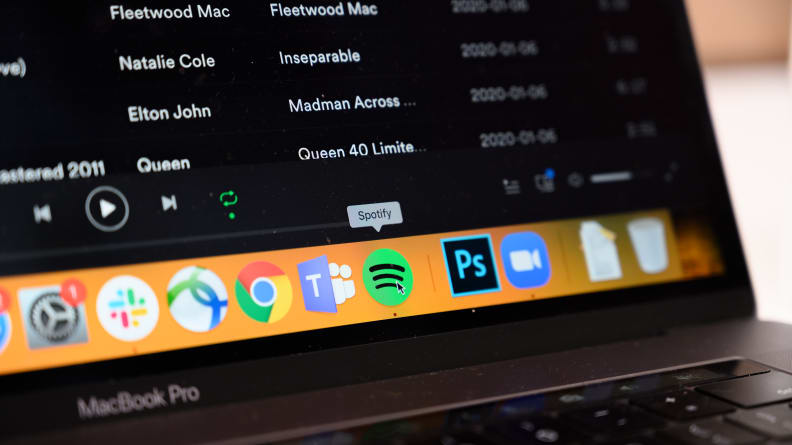
Spotify's free, ad-supported service is a great option for those uninterested in paying a monthly subscription.
Spotify’s free version provides plenty of listening options for anyone who doesn't want to pay for a monthly subscription. It’s an easy choice for the best free streaming service as it provides the same personalized features as Spotify’s premium plan and includes a full-featured desktop app.
However, using it comes with a few compromises: For one thing, Spotify’s free version will interrupt your listening with ads every few songs or so. Although, occasionally, you’ll have the option of enduring a longer advertisement in exchange for an extended ad-free listening session.
Another downside is that the mobile app is more limited than its desktop counterpart when using a free account. You can listen to playlists, based on a song or artist you select but, unlike the desktop app, individual songs or albums are limited, as is the number of songs you can skip.
Finally, the free-tier plan doesn’t offer offline listening, and, unlike Spotify’s Premium service, it also lacks the option to increase your music’s audio quality. But the service still has plenty of listening options, which makes the free service a great option if you’re looking to supplement your existing music library, or just don’t mind putting up with a few ads.
Get the Spotify app on Apple iTunes
Get the Spotify app on Google Play
Pros
-
Same personalized features as Spotify’s premium plan
-
Full-featured desktop app
Cons
-
Ads can be annoying
-
Mobile app is more limited
-
No offline listening
How We Tested Music Streaming Services
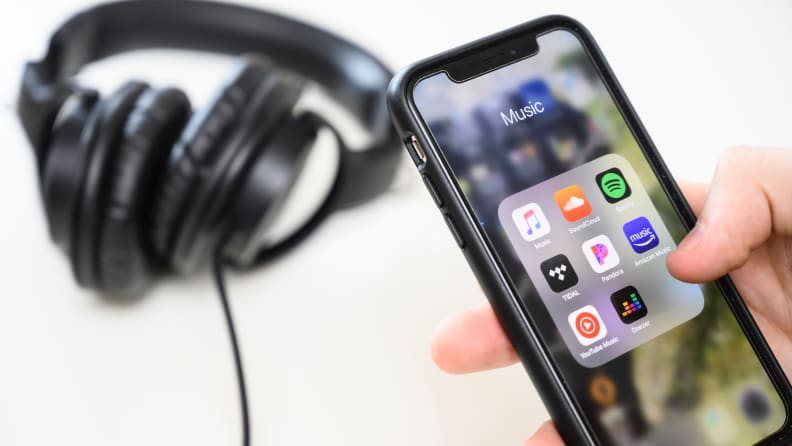
It took us hours of listening, comparing features and pricing to figure out which music streaming service is best for most people.
The Testers
Michael Garrett Steele makes most of his living as a writer. However, he's also a composer and recording artist, primarily for video games. He's composed for properties like Fallout and Commander Keen and recorded for game composers like Megan McDuffee and Ryan Ike. He's been surrounded by and involved with music my whole life, as both a creator and listener.
Don Melanson is a veteran tech journalist who listens to a lot of music from a number of sources, including a vinyl collection, digital audio files, and, of course, streaming music services. He always strives to get the best sound quality possible—both from his audio equipment and his music sources.
The Tests
To determine which music services are the top options, we started by first narrowing down the list of services to test to a manageable eight, relying on previous experience, as well as expert opinion from trusted sources. We evaluated premium and free versions of each service, too. Next, we assembled 21 popular and lesser-known songs, representing a wide range of genres from various eras. We used these songs to build a playlist for each streaming service in our test group, in order to assess:
- The overall user-friendliness of each service
- How difficult it was to build a playlist
- How easy it was to find and listen to music
- The breadth of music available on each service—the fewer songs available, the lower the marks
Beyond this, we also used each service to listen to music that we ordinarily listen to on a daily basis. This helped to judge how well each service’s music recommendation features worked. We also spent time exploring extra features each service offered, such as live radio, videos, curated playlists, and exclusive content.
The cost of plans offered by each service was also considered, as well as podcast support, offline capabilities, each service’s overall sound quality (is it really CD-quality like they tout it to be?), and availability on smartwatch apps.
While conducting these tests, we used each service’s web interface and desktop application (where available), as well as their Android and iOS apps.
What You Should Know About Music Streaming Services
While there are exceptions, most streaming services will offer the majority of the music you’re looking for.
They all offer decent sound quality and should be available to use with iOS, Android, and Windows, and Mac computers. You’ll find some are available to enjoy using your smartwatch or a smart speaker, while others are not.
The biggest differences between music services are found in their interfaces, ease of use, and additional features beyond basic music streaming. The latter, in particular, can vary considerably. Some offer exclusive content, live radio, custom playlists, and music recommendations that become more tailored to your taste the more you use them.
Standard vs. High-Res/HD Sound Quality
It used to be that standard resolution streaming audio was the norm for most music services. Standard resolution audio gets the job done: the sound of the music streamed sounds largely as the artist who recorded it intended it to. However, the music's fidelity takes a hit, due to digital compression: you may hear a hiss or digital artifacts in your music as you listen; what you hear is not as clear as it could be.
High-resolution/definition audio, as its name suggests, brings more definition to the music you stream. Background noise is lessened, if not removed entirely. Overall, what you hear will be closer to what the artist who originally recorded the song intended it to sound. High-resolution streaming is becoming more common, every year. So much so that, when the last time this guide was updated, we tested the same services against one another. This time around, the quality and quantity of Hi-Res/HD sound quality was such an important factor during our scoring process that our original choice for best overall was dethroned, due to its lack of high fidelity listening options, in favor of a service that provides a massive catalog of high-defination and lossless audio tracks.
Depending on the streaming service, high-definition audio may come standard, with the price of a basic subscription. Others, however, for users to pay a premium for the privilege of being able to stream higher quality audio to their devices.
What Streaming Services Pay Artists
Music streaming services are notorious for not paying artists well. While most of the services don’t release official figures, information collected directly from musicians and other sources indicates that artists can expect to make anywhere from $0.00069 to $0.019 per stream. That’s a tiny fraction of what they make from actual album sales, and the variables between how much one artist makes over another are opaque.
The convenience of streaming music is tough to beat, but if there are artists you want to support, you might want to consider also buying a copy of a song or album after you’ve sampled it on your service of choice.
Other Music Streaming Services We Tested:

Deezer subscription provides access to exclusive content, including live performances and original podcasts, for their subscription plans. For those looking for hi-res audio, Deezer’s premium HD audio plan is more affordable than Tidal’s. It also boasts one of the simplest, most intuitive interfaces of the services we tested.
Aside from its base subscription service, users can also pay extra for high-definition audio. There’s a free tier of service too, but it’s very limited: you can’t choose your tracks or listen offline, and the audio quality is lower quality than what paying users enjoy. But you can listen to music, podcasts, and radio for free.
Deezer’s library isn’t the largest of the services we tested. But it does boast a slew of indie artists from Soundrop, one of the largest digital music distribution firms around. So, if you’re a fan of discovering smaller artists, Deezer could be for you. If you care about how much these services pay artists, Deezer pays less than Tidal, but much more than Spotify.
Get the Deezer app on Apple iTunes
Get the Deezer app on Google Play
Pros
-
Streamlined interface
-
Hi-res plan available
-
Some exclusive content
Cons
-
Podcasts not available in all countries
-
Hi-definition music is an extra, instead of the default.

Like Apple Music, Tidal defaults to high-definition audio. Their HiFi plan has a library of around 75 million songs, as well as exclusive content like original articles and interviews, and early access to some albums and singles. Tidal also offers a wide range of music videos for streaming, which is fairly unique among its competitors. The HiFi plan is available as a family plan as well, and discounts are offered for military and first responders. Tidal offers a free 30-day trial. However, there is no free version available once the trial period ends.
Tidal’s top-tier HiFi Plus plan direct master recordings authenticated by the labels and artists that own or produced them. Tidal also offers 3-D audio via Dolby Atmos and Sony 360 Reality spatial audio.
Tidal consistently pays one of the highest per-song rates to the artists that supply content to their library.
You should know that Tidal’s music library isn’t as robust as some other services we tested for this guide. Additionally, their app’s user interface can be bewildering at times, depending on what content you’re trying to access.
Get the Tidal app on Apple iOS App Store
Get the Tidal app on Google Play
Pros
-
High-resolution, “Master Quality” audio
-
Exclusive content
-
Easy-to-use interface
Cons
-
HiFi plan pricier than Deezer or Amazon
-
No free plan available


Spotify Premium has been one of the most popular music streaming services around for years and in our last round of testing was our Best Overall pick. It’s great for discovering new music and podcasts. The service’s Discover Weekly playlist automatically builds a new playlist for you each week based on your listening habits and is eerily good at finding new music you’ll love.
During testing, we found its user interface—on both Android and iOS, as well as desktop—to be among the easiest to navigate of the services we tested. You can quickly find the music you want and easily build playlists. Like Apple Music and other competitors, Spotify Premium allows you to download songs, albums, podcasts, and even playlists for offline listening. Downloads take up storage space on your device, but it’s a great option for offline listening, or for anyone worried about mobile data overages.
Unfortunately, Spotify has dropped the ball on high-definition audio. In early 2021, the service announced that they’d be offering a hi-fi streaming option by the end of the year. At the time that this guide was last updated, no high-definition audio options had been made available by the service. It’s also worth noting that Spotify competes with YouTube for last place when it comes to paying artists well for the privilege of being able to stream their work.
Get the Spotify app on Apple iOS App Store
Get the Spotify app on Google Play
Pros
-
Available on multiple platforms & devices
-
Great personalized recommendations
-
Simple, intuitive interface
-
Flexible plan options
Cons
-
No high-resolution audio

Amazon Music Unlimited offers high-definition audio by default, for all of its subscription tiers, at no additional cost. The service boasts a library of 75 million songs. If you’re an Amazon Prime member, you can listen to two million of those tunes for free, no Amazon Music Unlimited subscription required. Additionally, anyone with an Alexa device can listen to the service’s “top playlists and stations” for free—but can’t choose songs on demand.
Amazon Music’s pricing is competitive with other services in this guide. However, Amazon Prime members get a discount on the service’s monthly and annual plans. Echo device owners also have access to a low-cost voice control-only plan, similar to Apple Voice’s Siri integration.
Amazon offers support for Dolby Atmos Music, which expands the traditional stereo mix of most popular music to include surround sound and speaker height information. This allows users to hear select music in a much more immersive way than traditional stereo audio. Unfortunately, device support for spatial audio is currently only available on Amazon’s Echo Studio smart speaker. You should note that Amazon Music Unlimited’s catalog size is fairly limited compared to some other services in this guide, and only offers the basics when it comes to music recommendations and custom playlists.
Get the Amazon Music Unlimited app on Apple iOS App Store
Get the Amazon Music Unlimited app on Google Play
Pros
-
Discount for Amazon Prime users
-
Hi-res audio plan available
-
Dolby Atmos music support
Cons
-
Additional features limited at present
-
Less attractive if you don’t have Amazon Prime

YouTube isn’t just the world’s most popular video streaming site: it’s also one of the most used search engines in the world. In order to provide its users with music recommendations and custom playlists, YouTube Music leverages its subscriber’s usage history, to sort out what you enjoy and what you don’t. That said, not everything that you can watch and listen to on YouTube is accessible through YouTube Music.
The cost of a YouTube Music subscription is in line with the pricing of the other services in this guide: there’s a discount for students and a discounted family plan for 5 people over age 13 at the same address.
Unfortunately, You may have trouble accessing YouTube Music on some devices. For example, YouTube Music doesn’t offer a smartwatch app or even a dedicated desktop app. Additionally, the service’s financial support of artists is among the worst of any streaming music service out there.
Get the YouTube Music app on Apple iOS App Store
Get the YouTube Music app on Google Play
Pros
-
YouTube integration adds exclusive music
-
Solid recommendations and personalized content
Cons
-
Unavailable on some devices and platforms
-
Light on features

Pandora’s music discovery features are the best we’ve seen, from any service we’ve tested. While most providers start your service by asking you to choose a selection of favorite artists, Pandora skips that step and builds straight off of what you listen to. Our first test album using Pandora was one that Garrett recorded: a small indie release that he uses to test most services since he knows it so well. Once the album ended, the next song that Pandora cued up fit the vibe of the album so perfectly that he couldn’t turn it off. The song played after that from an artist that Garrett’s producer was listening to when they recorded his album.
Pandora offers their ad-supported streaming radio for free, with an upgraded “Plus” plan that gives you ad-free radio streaming, more skips and replays, and offline listening. Their on-demand listening service is called Pandora Premium and lets you choose the artist and songs you want to hear at will.
Unfortunately, this algorithm is their only strong point. Pandora is plagued by lower-quality audio and a smaller library compared to other services in this guide. Not only is there no high-definition audio option, Pandora’s standard audio quality is sub-par when compared against other services featured in this guide.
Get the Pandora app on Apple iOS App Store
Get the Pandora app on Google Play
Pros
-
Incredible for discovering new music
Cons
-
Audio quality is pretty rough
-
Library is lacking

SoundCloud Go+ streaming service provides access to millions of songs from established and independent artists. Subscribers enjoy access to some cool features, including a library of podcasts and SoundCloud Weekly: an automated playlist that helps you discover new music. SoundCloud GO+ also offers integration with select DJ apps, though the average listener probably won’t get a lot of mileage out of this feature.
In addition to its Go+ service, SoundCloud also offers a less expensive SoundCloud Go plan, which has less music to choose from and lower quality audio. No matter which plan you choose, you’ll be able to enjoy offline listening and, better still, no ads.
Unfortunately, SoundCloud’s support for devices other than smartphones and computers is poor. And, when using the service on a computer, its web interface is far less intuitive than the ones employed by other services in this guide.
Get the SoundCloud app on Apple iOS App Store
Get the SoundCloud app on Google Play
Pros
-
Tons of indie and community-created tracks
-
Variety of subscription options
-
Lots of free music available
Cons
-
Web interface is clunky
-
Not as widely available as other services

As its name suggests, LiveXLive places a heavy emphasis on live content, offering a wealth of original programming and exclusive live performances. While this helps it stand out from other music streaming services, LiveXLive can’t measure up to the studio-recorded song libraries offered by other services in this guide. During testing, LiveXLive’s web interface proved to be sluggish and difficult to use. While the mobile app was slightly better, it can’t compete with the user interface offered by its competitors.
This makes it difficult to recommend LiveXLive’s premium plans.
However, if you’re intrigued by the service, there is a free, ad-supported plan which lets users listen to concert and festival live streams, audio stations, personalized recommendations, and original content. It’s a great way to check out what’s unique about LiveXLive without having to pay a dime.
Get the LiveXLive by Slacker app on Apple iOS App Store
Get the LiveXLive by Slacker app on Google Play
Pros
-
Plenty of live content and exclusive programming
-
Less expensive plan available for more limited streaming.
Cons
-
Sluggish, confusing interface
-
No family plan
-
No free trial option